





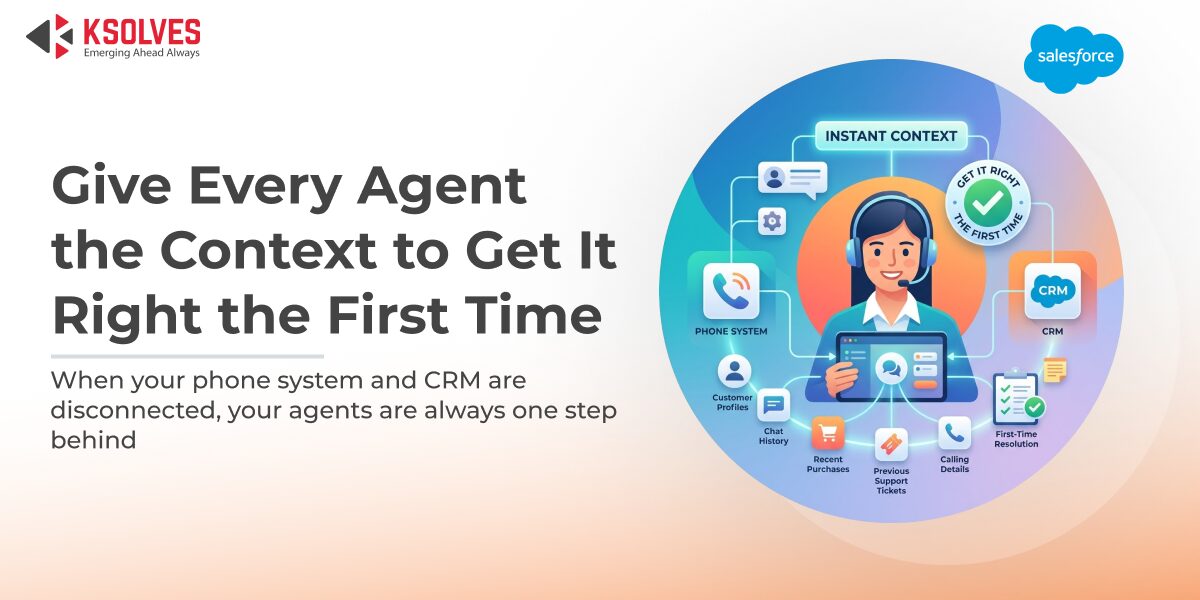
Here’s something most support leaders already know but rarely say out loud: customers don’t get frustrated because a problem is hard to solve. They get frustrated because they have to explain it three times to three different people who clearly have no idea what they’ve called before.
That’s not an agent performance problem. It’s what happens when your phone system and your CRM are two separate worlds, and the customer’s history lives in one while the conversation is happening in the other.
Salesforce CTI integration closes that gap. And when it’s built natively inside Salesforce, the way CTI Ninja by Ksolves is, it changes what’s possible at every stage of the customer conversation.
The Customer Experience Problem That Lives Inside Your Phone Workflow
Before talking about fixes, it helps to name the actual breaks.
A customer calls in. The agent has no idea who it is until they ask, and then spend 90 seconds looking them up manually while the customer waits. The IVR routes them to the wrong department. They get transferred. They repeat themselves. The agent wraps up the call, makes a note, but it’s vague, because writing coherent notes after fifty calls is hard. Next time that customer calls, the cycle starts again.
Each one of these moments is a touchpoint where the experience quietly degrades. And Salesforce, without a proper telephony integration, doesn’t fix any of them by default.
Also Read – How to Improve First-Call Resolution Rates with CTI
What Changes When CTI Is Native to Salesforce
Screen pop on every inbound call
The moment a customer calls, their full Salesforce record surfaces automatically, open cases, previous interactions, purchase history, notes from the last agent they spoke to. The agent knows who they’re talking to, what they’ve already been through, and where the conversation should pick up. Before the first word is spoken.
That single capability removes the two most common customer complaints: being made to wait while someone “pulls up your account,” and having to re-explain a problem that was supposedly resolved last week.
Intelligent call routing that actually routes intelligently
Multi-level IVR in CTI Ninja lets you configure call flows based on real criteria, customer history, case type, agent skill set, availability. A customer flagged as high-value doesn’t wait in the general queue. A billing query doesn’t land with a technical support agent. Routing decisions are made by the system, not by chance.
This is what routing in Salesforce is supposed to feel like: the right customer reaching the right agent, on the first attempt, without a transfer in the middle.
Every interaction is captured, automatically
Call duration, timestamp, outcome, and live notes taken during the conversation all write to the Salesforce record the moment the call ends. The next agent who picks up that account doesn’t start blind. They start to be informed.
For CX leaders, this matters beyond individual calls. Complete, consistent call records are what make pattern recognition possible, which customers are calling repeatedly about the same issue, which touchpoints generate the most friction, where the process is breaking before it reaches an agent.
AI virtual agent for round-the-clock coverage
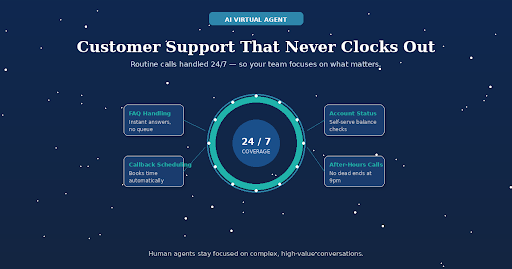
Routine inbound queries, FAQs, account status, callback scheduling, are handled by CTI Ninja’s AI virtual agent with sentiment-aware responses, outside business hours and during peak volume. Human agents stay focused on conversations that genuinely need them.
The customer experience implication: no dead ends at 9pm. No callback request that doesn’t get returned. The touchpoint stays live even when the team isn’t.
Call transcription for the conversations after the conversation
Calls are transcribed and stored inside Salesforce, searchable, reviewable, and tied to the customer record. For support managers, that means coaching from specifics rather than guesswork. For customers, it means the next agent they speak to has real context, not a vague note from six weeks ago.
Also Read – CTI Ninja Goes Live on Salesforce AppExchange
Where This Plays Out Across Touchpoints
The “across touchpoints” part of the brief is worth addressing directly, because CTI integration isn’t just a call center upgrade.
Inbound support calls become contextual from the first second. Screen pop, intelligent routing, automatic logging, the customer’s experience of calling your support line changes fundamentally.
Outbound sales and follow-up calls become more personal because Click2Call dials directly from the Salesforce record the rep is already looking at. The conversation starts with context, not with “let me pull you up.”
Post-call experience improves because records are complete. Follow-up emails, escalations, case updates, all of it references an accurate call history rather than whatever the agent remembered to type.
Management and QA become proactive rather than reactive. Real-time supervisor dashboards show live agent status, call volumes, and queue depth inside Salesforce. Recorded calls and transcripts mean quality reviews don’t depend on cherry-picked samples.
For industries where customer trust is the product, financial services, healthcare, real estate, CTI Ninja’s industry-specific implementations show how these capabilities apply to compliance-sensitive environments specifically.
Also Read – How Salesforce CTI Improves Customer Trust in Banking & Financial Services
Why the Native Architecture Matters for CX
There’s a meaningful difference between a CTI solution that connects to Salesforce and one that’s built inside it.
Middleware-based integrations route call data through external servers before syncing back to your org. Which means there’s a window, sometimes seconds, sometimes longer, where the call happened but the record hasn’t caught up. For an agent handling back-to-back inbound calls, that lag creates exactly the kind of information gap that degrades the customer experience.
CTI Ninja is 100% Salesforce-native, powered by Twilio’s Voice APIs. The record updates the moment the call ends because the entire CRM layer lives within Salesforce, no middleware, no third-party sync, no moment where your data is sitting outside your org waiting to catch up.
For CX leaders who’ve built their service workflows around Salesforce as a single source of truth, that architecture is the only one that actually delivers on that promise.
Customer experience isn’t built in a single moment. It accumulates across every call, every transfer, every interaction where an agent either had the context to help or didn’t.
Salesforce CTI integration makes the difference between a support operation that knows its customers and one that keeps asking them to start over.
Explore CTI Ninja on the Salesforce AppExchange
Frequently Asked Questions
-
- How does Salesforce CTI integration improve customer experience?
It gives agents full customer context before a call begins via screen pop, routes inbound calls to the right agent without unnecessary transfers, and ensures every interaction is logged completely, so customers never have to repeat their history and agents never start a conversation blind.
- How does Salesforce CTI integration improve customer experience?
- Does Salesforce CTI integration work with Service Cloud?
Yes. CTI Ninja integrates with Salesforce Service Cloud, making it directly applicable to support team workflows, case management, agent console, call logging to case records, and supervisor dashboards.
- What happens to call recordings and transcripts?
Both are stored inside your Salesforce org, accessible directly from the related record. No external platform required for retrieval or review.
- Can it handle high inbound call volumes?
CTI Ninja’s intelligent call routing is built specifically for peak inbound scenarios, distributing calls across available agents based on real-time capacity, skill set, and priority. Supervisors have live visibility into agent availability and overall call activity through the real-time performance dashboard, so bottlenecks are visible the moment they form and can be addressed before they affect wait times.
Is there a free trial available?
Yes, a 15-day free trial is available via the Salesforce AppExchange.

AUTHOR