




A sales rep closes a demo call and moves the lead to “Qualified” in Salesforce. The next step? A follow-up message confirming next steps. But by the time the rep drafts an email, opens a separate messaging tool, and sends it manually, two hours have passed. The lead has already gone cold.
This is where Salesforce SMS notifications change the equation. Automated text alerts, triggered directly from CRM activity, ensure that the right message reaches the right person within seconds of a record change, not hours.
For teams running their pipeline through Salesforce, the ability to send instant SMS alerts, scheduled notifications, and automated follow-ups from inside the CRM is no longer optional. It is the difference between a responsive operation and a reactive one.
Why Email Alone Falls Short for Time-Sensitive Salesforce Communication
Email open rates vary widely by industry, but even the best-performing campaigns typically land between 30% and 40%. SMS open rates, by contrast, are estimated at up to 98%, with most messages read within three minutes. For time-sensitive updates like appointment reminders, deal stage changes, or lead assignment alerts, email simply does not deliver the urgency the situation demands.
Consider a scenario: a prospect fills out a high-intent form on your website at 2 PM. Salesforce captures the lead. An email notification goes out to the assigned rep, but it lands between a dozen other inbox items. By the time it is noticed, the prospect has already engaged with a competitor. An SMS alert, delivered the instant that lead record is created, puts the rep on it in under a minute.
The gap is not about replacing email entirely. It is about using SMS where speed and visibility matter most: real-time sales alerts, appointment confirmations, payment reminders, and post-interaction follow-ups.
How Salesforce SMS Notifications Work with Automated Triggers
The real value of SMS in Salesforce is not in sending one-off texts manually. It is in configuring triggers that fire automatically based on CRM events, so your team never has to remember to send that follow-up or reminder.
Record-Triggered SMS Alerts
Most Salesforce SMS apps work with Salesforce Flow Builder, allowing admins to create record-triggered flows. When a specific field value changes, such as a lead status moving from “New” to “Working,” or an opportunity stage advancing to “Negotiation,” the flow fires an SMS action automatically.
This means sales reps get notified the moment a lead takes action. Customers receive confirmations the moment an order status changes. Support teams are alerted the instant a high-priority case is created. No manual steps, no delays.
Scheduled and Time-Based Notifications
Not every SMS needs to fire instantly. Some notifications work better on a schedule: appointment reminders sent 24 hours before a meeting, renewal notices sent 30 days before a contract expires, or payment reminders sent on a recurring cadence.
Salesforce Flow supports scheduled paths, and most native SMS apps let you configure time-based triggers alongside event-based ones. This combination gives teams precise control over when and why a message is sent.
Also Read – How SMS Ninja Can Transform SMS Marketing for Real Estate Agents
Five Salesforce SMS Alert Use Cases That Drive Results
Understanding the mechanics is one thing. Seeing how teams actually use instant SMS alerts in Salesforce to solve real problems is what makes the difference.
1. Real-Time Lead Response Alerts for Sales Reps
Speed-to-lead is one of the most studied metrics in sales. Research from MIT and InsideSales.com found that companies contacting leads within five minutes are 21 times more likely to qualify that lead compared to those who wait 30 minutes. An automated SMS alert to the assigned sales rep the moment a new lead enters Salesforce eliminates the lag that email notifications create.
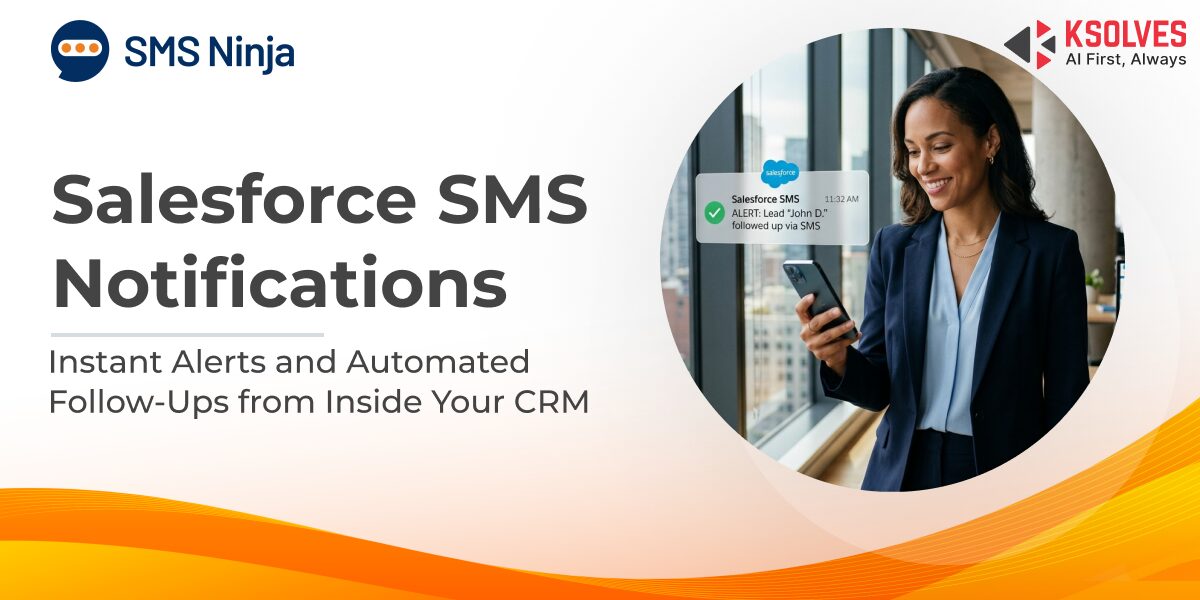
With SMS Ninja, this alert fires automatically the instant a lead record is created. The rep gets a text on their phone, sees the lead details, and can respond before the prospect has even closed the browser tab. No checking email, no logging into dashboards.
2. Appointment Reminders and Booking Confirmations
No-shows cost businesses time and revenue. Salesforce SMS notifications for appointment reminders, sent automatically 24 or 48 hours before a scheduled meeting, reduce no-show rates significantly. The same logic applies to booking confirmations: a text sent immediately after a customer books an appointment provides instant reassurance and a reference they can check on their phone.
3. Deal Stage Notifications and Pipeline Updates
Sales managers need to know when deals move. Rather than checking dashboards throughout the day, a triggered SMS alert when an opportunity hits a critical stage (like “Proposal Sent” or “Closed Won”) keeps leadership informed without requiring them to be logged into Salesforce.
4. Customer Onboarding and Post-Demo Follow-Ups
After a product demo, the window for follow-up is narrow. An automated SMS follow-up triggered when a demo is logged in Salesforce, thanking the prospect and outlining next steps, keeps the momentum going.
Remember the rep from the opening scenario who lost two hours after a demo call? With SMS Ninja, that follow-up fires automatically the moment the demo is logged in Salesforce. The prospect receives a personalized text with next steps while the conversation is still fresh, and the rep’s ShortLink inside the message sends a real-time notification the moment the prospect clicks through, so the rep knows exactly when to pick up the phone.
The same applies to onboarding sequences: a series of SMS messages guiding a new customer through setup steps, triggered by their onboarding stage in Salesforce, creates a structured experience without manual effort.
5. Bulk SMS Notifications for Product Updates and Offers
When you launch a new feature, run a promotion, or need to notify a segment of your customer base, bulk SMS sent from within Salesforce ensures the message goes out to a targeted list with delivery tracking and response logging built in. Unlike mass email, bulk SMS gets seen almost immediately.
Also Read – How to Send SMS to Mobile Numbers Directly from Salesforce
Automated SMS Follow-Ups in Salesforce: From Drip Campaigns to One-Off Triggers
Follow-ups are where deals are won or lost. Automating them through SMS removes the human bottleneck and ensures consistency across the team.
Drip Campaigns for Lead Nurturing
A drip campaign sends a pre-configured sequence of messages over a set period, triggered by a specific event. For example, when a lead downloads a whitepaper, the drip sequence might look like this:
- Day 1: A thank-you SMS with a link to a related resource.
- Day 3: A short message highlighting a relevant case study.
- Day 7: An invitation to schedule a consultation.
Each message is personalized using Salesforce fields (name, company, product interest) and sent automatically. The rep does not need to remember or act on anything. The sequence runs until the lead responds or the campaign ends.
Event-Based Follow-Up Triggers
Not every follow-up fits a drip sequence. Some are one-off messages triggered by a specific CRM event: a case is resolved (send a satisfaction check-in), a contract is signed (send a welcome message), a payment is overdue (send a reminder). These event-based triggers ensure that no critical touchpoint is missed, regardless of how busy the team gets.
What to Look for in a Salesforce SMS Notification App
Not all SMS apps for Salesforce are built the same. When evaluating options for automated SMS alerts and notifications, a few capabilities matter more than others.
First, native Salesforce compatibility. An app built 100% on the Salesforce platform avoids data sync issues, keeps all message history within CRM records, and works directly with Salesforce Flow for trigger configuration. Apps that route data through external servers introduce latency, sync failures, and data privacy risks that native apps eliminate entirely.
Second, multi-channel support. SMS is powerful, but your customers may also use WhatsApp, Telegram, or Facebook Messenger. A single app that consolidates all channels into one inbox within Salesforce prevents agents from switching between tools.
Third, automation depth. Look for support for drip campaigns, scheduled sends, bulk messaging, and trigger-based workflows, all configurable without code.
Fourth, AI-powered features. Salesforce Einstein Copilot integration, AI chat suggestions, and conversation summaries help agents respond faster and maintain context across conversations without reading every prior message.
Fifth, compliance and security. TCPA, GDPR, and 10DLC compliance should be built in, not bolted on. Your customer data should stay within Salesforce, not flow through third-party servers.
Finally, reporting. Delivery rates, response times, and engagement metrics should be visible within Salesforce dashboards so teams can measure and refine their SMS strategy.
Also Read – Why Automated SMS Workflows Are Revolutionizing E-commerce Engagement
How SMS Ninja Handles Alerts, Notifications, and Follow-Ups Natively in Salesforce
SMS Ninja, built by Ksolves (a Salesforce Summit Partner), is a 100% Salesforce-native messaging app designed to handle exactly these use cases. It supports SMS, MMS, WhatsApp, Telegram, Facebook Messenger, Instagram, and in-app email from a single console within Salesforce, so agents never leave the CRM.
For notifications and alerts, SMS Ninja provides automated SMS triggers that fire based on Salesforce record changes, configurable through the workflow builder without writing code. Sales reps receive instant alerts when leads come in. Customers receive appointment reminders, order confirmations, and payment notifications on schedule.
For follow-ups, SMS Ninja’s drip campaign feature allows teams to build multi-step messaging sequences across SMS and WhatsApp, personalized with Salesforce data and timed to the customer journey.
For real-time engagement tracking, ShortLinks provide trackable URLs within messages, giving reps real-time notifications when a prospect clicks through. When a prospect opens your proposal link at 3 PM, the rep knows instantly and can call while the prospect is still reviewing the document. This turns passive follow-up into active, timely outreach.
For AI-assisted conversations, SMS Ninja integrates with Salesforce Einstein Copilot and includes AI-powered chat suggestions that recommend contextual responses based on the conversation history, plus conversation summaries that give agents a quick overview of prior interactions without scrolling through message threads. This means faster replies, consistent tone, and no dropped context when a conversation gets handed between team members.
For centralized visibility, the unified inbox aggregates every conversation, across every channel, into a single view tied to the Salesforce record. And because SMS Ninja is fully native, all data stays within Salesforce, maintaining 100% data privacy with no third-party data routing.
SMS Ninja offers a 15-day free trial on the Salesforce AppExchange, so teams can test these capabilities inside their own Salesforce org before committing.
Conclusion
Salesforce SMS notifications close the gap between CRM activity and customer-facing communication. When alerts, reminders, and follow-ups fire automatically based on real pipeline events, teams respond faster, customers stay informed, and no critical touchpoint slips through the cracks.
If your team is still relying on manual follow-ups or email-only notifications from Salesforce, it is worth exploring what automated SMS can do for your response times and engagement rates.
Explore SMS Ninja on the Salesforce AppExchange or talk to the Ksolves team to see it in action.