





We were reviewing a Salesforce org for a sales team of about 35 reps. Solid team, consistent dialing numbers, decent pipeline. But when we pulled the activity data, something was off.
Over 40% of logged calls had either no notes, a one-word disposition, or had been logged in a bulk entry at the end of the day. The Sales Manager already knew. “I stopped trusting the call data six months ago,” he said. “I just watch the dials and hope the pipeline tells me something different.”
That’s not a team problem. That’s what happens when your CRM and your phone system are two separate worlds, and you’re asking people to manually bridge them fifty times a day.
Salesforce CTI integration is the infrastructure fix that closes that gap permanently. Every call logged automatically. Every record is updated the moment a conversation ends. No manual entry. No data you have to second-guess.
This blog explains exactly what Salesforce CTI integration is, why the “native vs. middleware” distinction matters more than most people realize, and how CTI Ninja by Ksolves solves it inside Salesforce itself.
What Is Salesforce CTI Integration, Actually?
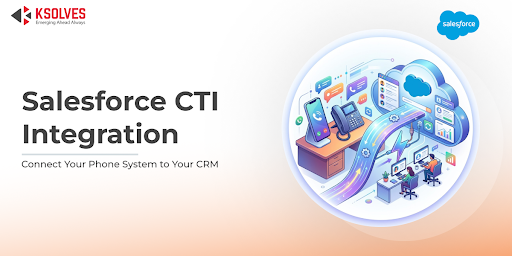
Salesforce CTI (Computer Telephony Integration) connects your phone system directly to Salesforce, so agents make and receive calls from within the CRM, and every call logs itself to the right customer record automatically.
Think of it this way. Right now, your phone system and your Salesforce org are two separate buildings. When a rep finishes a call, they have to physically walk from one building to the other, write down what happened, file it, and walk back. Multiply that by 50 calls a day and you understand why the data looks the way it does.
CTI integration puts both buildings under one roof. The call happens inside Salesforce. The record updates inside Salesforce. The rep never leaves the building.
What a properly implemented Salesforce CTI solution handles:
- Outbound calls initiated with one click from any Salesforce record
- Inbound calls automatically matched to the right customer record before the agent picks up
- Call duration, timestamp, and outcome logged the moment the call ends
- Notes taken during the call saved directly to the record
- Supervisor dashboards showing live call activity across the team
Also Read – CTI Ninja Goes Live on Salesforce AppExchange
Salesforce Open CTI vs. Native CTI: Why This Distinction Matters
Most people shopping for a Salesforce telephony integration don’t realize there are two fundamentally different architectural approaches. And the difference has real implications for data security, reliability, and ongoing maintenance.
Salesforce Open CTI is an API framework that lets third-party phone systems embed a softphone inside the Salesforce interface. It works. But the data flows through external servers first, your call logs are created outside Salesforce and then synced back in. Which means you’re dependent on that sync working correctly, every time, without gaps.
A deeply integrated CTI solution keeps the agent workflow inside Salesforce while the telephony infrastructure is handled by a voice provider. Calls can be made, received, and logged directly from Salesforce records, while the telephony platform manages call routing and media handling in the background. The result is that agents work entirely within Salesforce while call activity and records are automatically captured in the CRM.
For teams in financial services, healthcare, or any compliance-sensitive environment, that architecture difference isn’t a technical footnote. It’s a procurement requirement.
Also Read – How does Salesforce CTI improve customer experience?
What CTI Ninja Does? And Why Being Native Changes the Equation?
It integrates Salesforce with telephony infrastructure such as Twilio, allowing teams to manage calls and call activity directly within Salesforce. It installs in a single click. It’s configured entirely within Salesforce. Your admin controls it, no developer required.
Here’s what it actually does:
Click2Call. Reps dial directly from any Salesforce record, contact, lead, account, opportunity, in one click. No manual dialing. No switching windows. Just click and the call begins, with the full customer record already on screen.
Automatic call logging. The moment a call ends, CTI Ninja writes the duration, timestamp, and call status to the associated Salesforce record. Not when someone remembers to log it. Not at 5pm. Immediately.
Screen pops on inbound calls. When a customer calls in, their full Salesforce history surfaces before the agent even picks up, previous interactions, open cases, notes, purchase history. Customers stop repeating themselves. Agents stop asking questions they should already know the answers to.
Multi-level IVR and intelligent routing. Inbound calls move through configurable self-service menus and route to the right agent based on skill set, availability, or customer history. Fewer transfers. Shorter handle times. Higher first-call resolution.
Call recording, stored inside Salesforce. Both automatic and manual recording modes are supported. Recordings live in Salesforce, accessible directly from the related record. No logging into a third-party platform to find a call from last Tuesday.
Real-time supervisor dashboards. Live visibility into who’s on a call, who’s available, who’s on break, call volumes, and team performance, all without leaving Salesforce.
AI virtual agent. Handles routine inbound calls around the clock. FAQs, callback scheduling, basic queries, the virtual agent takes these so human agents can focus on conversations that actually require them.
Zero-code configuration. Salesforce admins configure IVR flows, routing rules, and workflow triggers directly within Salesforce. No developer dependency. No ticket queue every time a routing rule needs to change.
Also Read – Salesforce CTI for Real Estate: How It Speeds Up Lead Conversion
Which Teams Feel the Impact First?
Sales teams see it in the numbers almost immediately. Dial capacity goes up because Click2Call removes friction from every outbound call. Data quality jumps because logging is automatic, not discretionary. And managers finally have call records they can actually coach from, because the notes are real, timestamped, and complete.
If you want to go deeper on the sales team impact specifically, this breakdown of how CTI improves sales performance is worth your time.
Customer support teams feel it on inbound. Screen pops mean agents know who they’re talking to before the first word is spoken. IVR routing means the caller gets to the right person without three transfers. The full picture of how this plays out in support operations covers the specifics in detail.
Salesforce admins get something quieter but just as valuable: Salesforce becomes the actual source of truth for call activity. Not a system that gets updated when an API sync behaves. Everything lives in one place, from the moment it happens, configured and maintained by the admin without developer involvement.
Also Read – Understanding the Role of Salesforce CTI in Personalized Interactions
How Do You Evaluate Salesforce CTI Solutions?
The CTI market has no shortage of options, Aircall, Kixie, Five9, RingCentral, Amazon Connect. Each has real strengths. For enterprise teams with complex omnichannel requirements and large IT budgets, some of those platforms make sense.
But the right evaluation criteria depend on what your team actually needs:
Where does your data live? Native solutions keep call data inside Salesforce from the start. Middleware-based integrations route it through external servers first, introducing sync dependencies, potential failure points, and data residency questions.
What does deployment actually cost? Not just the per-user license. Enterprise platforms can run $150–200+ per user per month before usage charges. One-click AppExchange installs have a very different total cost of ownership than multi-week implementation projects.
Can your admin own it? If every routing change or workflow update requires a developer, that’s a hidden ongoing cost most teams underestimate.
What happens to recordings? Where they’re stored, who controls access, and how they’re retrieved matters more once you’re managing compliance requirements or a QA program at scale.
Also Read – How Salesforce CTI Helps Banks Improve Customer Trust & Communication
Frequently Asked Questions
- What is Salesforce CTI integration?
It’s the technology that connects your phone system to Salesforce so agents can call from within the CRM, every call logs automatically, inbound callers are matched to their Salesforce record instantly, and managers get real-time visibility into call activity, all without manual entry.
-
- What’s the difference between Salesforce Open CTI and a native CTI?
Salesforce Open CTI is a framework that allows telephony systems to integrate directly into the Salesforce interface through an embedded softphone. The telephony provider manages the call infrastructure while Salesforce handles CRM interaction such as screen pops, call logging, and record updates. CTI solutions differ mainly in how tightly they integrate with Salesforce workflows. Some rely heavily on external platforms for configuration and reporting, while others allow most configuration, logging, and activity management to happen directly within Salesforce.
- What’s the difference between Salesforce Open CTI and a native CTI?
- Does CTI Ninja require a developer to set up or maintain?
No. It’s zero-code. Salesforce admins configure IVR flows, call routing, and workflows directly within Salesforce. A one-click AppExchange installation gets you started. Changes don’t require a developer ticket.
- Where are call recordings stored?
Inside your Salesforce org. Accessible directly from the related record, No separate application required for agents to manage calls and call activity, no separate storage to manage.
- Can we try it before committing?
Yes. A 15-day free trial is available via the Salesforce AppExchange.
- Which Salesforce edition does it work with?
CTI Ninja is available on the AppExchange and works within the Salesforce environment. Specific edition compatibility is confirmed on the official AppExchange listing.
The call data problem most sales managers are sitting with isn’t going to fix itself through better rep discipline or another training session. The workflow is the problem. And the fix is infrastructure, not motivation.
If your team lives in Salesforce, your call data should too, from the moment the conversation ends.
Explore CTI Ninja on the Salesforce AppExchange
Want to see how it compares before deciding? Here’s what the full feature breakdown looks like.